If you spend a lot of time on a computer, you have probably felt it: that dull ache in your wrist, the tightness in your shoulders, or that weird tingling in your fingers. For years, we have accepted this discomfort as a normal part of office life or long gaming sessions. We use flat, straight keyboards and mice that force our hands and arms into unnatural positions. We twist our wrists to lay our palms flat and angle our hands outward to reach all the keys. It is like spending your entire day holding a low-key, uncomfortable yoga pose. But what if your desk setup could work with your body instead of against it? Ergonomics is the science of designing tools that fit the human body, and it is transforming the world of keyboards and mice. These gadgets might look strange at first, but they are engineered with one goal in mind: to reduce strain and make your time at the computer more comfortable.
The Problem with Flat Keyboards
The standard keyboard design has been around for decades and was not created with your comfort in mind. To type on a flat keyboard, you have to do two unnatural things. First, you pronate your forearms, which means you twist them inward to get your palms to lie flat on the keys. Second, you splay your hands outward from your wrists to align your fingers with the straight rows of keys, a movement known as ulnar deviation. Holding these positions for hours on end puts stress on your tendons, muscles, and nerves. Ergonomic keyboards are designed to solve these specific problems.
Split Keyboards for a Natural Hand Position
One of the most popular types of ergonomic keyboards is the split keyboard. As the name suggests, the keyboard is physically split into two halves, often connected by a cable. This allows you to position each half directly in front of your shoulders. Your arms can remain straight, eliminating the need to angle your wrists outward. This simple change keeps your wrists in a neutral, relaxed position, which drastically reduces strain on the ulnar nerve. Some split keyboards are fixed at a certain angle, while others are fully adjustable, letting you decide exactly how far apart to place the two halves. It feels a bit weird at first, like you are learning to type all over again, but your wrists will thank you for it in the long run.
The Upward Angle That Saves Your Wrists
The next step in ergonomic keyboard design is called "tenting." In addition to splitting the keyboard, tenting raises the inner edges of each half, creating a tent-like shape. This feature directly combats forearm pronation. Instead of forcing your palms to be flat, a tented keyboard allows your hands to rest in a more natural "handshake" position. Think about how your hands fall naturally at your sides; your thumbs point slightly upward. Tenting mimics this neutral posture. This reduces the rotational stress on your forearms and can relieve pressure on the median nerve, which is often associated with carpal tunnel syndrome. Most tented keyboards offer adjustable angles, so you can find the perfect degree of elevation that feels most comfortable for you.
The Handshake Solution
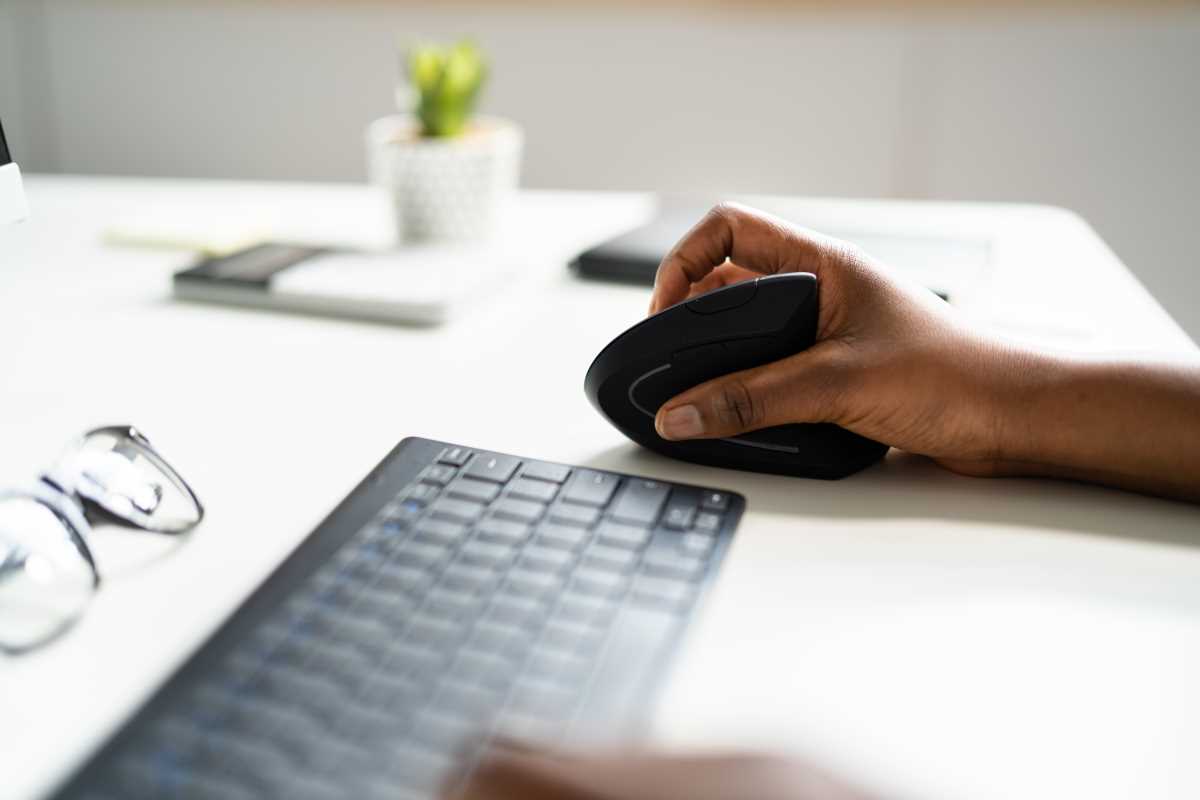
Just like keyboards, standard mice also force your hand into an unnatural, palm-down position. A vertical mouse flips the design on its side, creating a taller device that you grip in a handshake posture. Your thumb rests comfortably on one side while your fingers wrap around to access the click buttons and scroll wheel on the other. This alignment keeps your wrist and forearm in a neutral state, free from the twisting that causes so much strain. It might look like a small spaceship or a shark fin on your desk, but the comfort is undeniable. After a short adjustment period, using a vertical mouse feels incredibly natural, and many people find that their wrist pain subsides after making the switch.
Trackball Mice for Minimal Arm Movement
Another fantastic ergonomic option is the trackball mouse. With a trackball, the device itself stays stationary on your desk. Instead of moving the entire mouse to guide the cursor, you use your thumb or fingers to roll a large ball embedded in the device. This design nearly eliminates all arm and wrist movement, relying only on the fine motor skills of your digits. This is a huge benefit for people with limited desk space or those who experience shoulder pain from repeatedly moving their arm back and forth. Trackballs come in various shapes and sizes, with some controlled by the thumb and others by the index and middle fingers, allowing you to choose the style that feels best for you.
Finding What Works for You
The world of ergonomic keyboards and mice is vast, with many different shapes, sizes, and features. There are contoured keyboards that curve in a gentle wave, compact split keyboards for portability, and trackballs with customizable buttons for power users. The most important thing to remember is that there is no single "best" ergonomic setup for everyone. Comfort is personal. What works for one person might not work for another. Many users find that starting with a simple ergonomic mouse or a keyboard with a slight curve is a great entry point. Making these small changes can lead to a significant reduction in daily aches and pains, making your workday more productive and much more comfortable.